


Unlock a new dimension of market analysis and execution. The IC Markets TradingView integration brings together a top-tier broker with a world-renowned charting platform. Forget switching between tabs and embrace a seamless trading experience. This guide will walk you through every step, from connection to execution. Discover how to leverage advanced tools, trade directly from your charts, and elevate your strategy. Ready to transform your trading workflow? Let’s dive in.
- What is the IC Markets and TradingView Integration?
- Key Benefits of Using TradingView with Your IC Markets Account
- How to Connect Your IC Markets Account to TradingView
- Step 1: Create a Compatible IC Markets Account
- Step 2: Navigate to the Trading Panel in TradingView
- Step 3: Authorize the Connection and Log In
- Trading Directly from TradingView Charts: A Feature Overview
- Which Instruments Can You Trade?
- Understanding Spreads and Commissions
- Leveraging TradingView’s Advanced Charting Tools
- Using Pine Script for Custom Indicators and Strategies
- Placing and Managing Orders with IC Markets
- Executing Market, Limit, and Stop Orders
- Setting Stop Loss and Take Profit Levels
- IC Markets TradingView vs. MetaTrader (MT4/MT5)
- Mobile Trading: Using the Integration On the Go
- Common Issues and Troubleshooting
- Is the IC Markets and TradingView Combination Right for You?
- Final Verdict: A Powerful Partnership for Traders
- Frequently Asked Questions
What is the IC Markets and TradingView Integration?
Imagine having the powerful, intuitive charts of TradingView combined with the lightning-fast execution and raw spreads of IC Markets. That’s exactly what this integration delivers. It’s a direct connection that authorizes your IC Markets account to operate within the TradingView interface. You are not using a separate platform; you are simply using TradingView as your command center. This allows you to perform deep market analysis and place live trades from a single screen, streamlining your entire process from idea to execution.
Key Benefits of Using TradingView with Your IC Markets Account
Connecting your accounts unleashes a powerful set of advantages that can directly impact your trading performance. This partnership is more than just convenience; it’s about gaining a competitive edge.
- Superior Charting Environment: Access one of the most beloved charting platforms in the world. Enjoy clean, fast, and highly customizable charts that make market analysis a pleasure.
- Trade Directly From Charts: See an opportunity? Act on it instantly. Place, modify, and close trades without ever leaving your chart view. Drag your stop loss and take profit levels with visual precision.
- Massive Community and Idea Sharing: Tap into a global network of traders. Share your analysis, see what others are thinking, and import community-built indicators directly onto your charts.
- Advanced Analytical Tools: Go beyond standard indicators. Utilize an extensive library of drawing tools, analysis instruments, and sophisticated indicators that are native to the TradingView platform.
- Cloud-Based Accessibility: Your charts, drawings, and analysis are saved to your TradingView account. Access your complete workspace from any computer, anywhere in the world.
How to Connect Your IC Markets Account to TradingView
Getting set up is a straightforward process that takes just a few minutes. Follow these three simple steps to link your accounts and begin trading from the industry’s leading charting platform. Ensure you have your IC Markets login credentials ready before you begin.

Step 1: Create a Compatible IC Markets Account
Your journey begins with having the right type of account. The IC Markets TradingView integration is designed to work with specific live account types. Before proceeding, ensure you have an active IC Markets Raw Spread or Standard account. If you only have a demo account or a different account type, you will need to open a new, compatible one through the IC Markets secure client area. This is the foundational step for a successful connection.
Step 2: Navigate to the Trading Panel in TradingView
Open your TradingView chart in your web browser. At the bottom of the screen, you will see a series of tabs like “Stock Screener,” “Pine Editor,” and “Strategy Tester.” Look for the tab labeled “Trading Panel.” Click on it to reveal a list of supported brokers. This panel is your gateway to connecting a live trading account to the platform.
Step 3: Authorize the Connection and Log In
Within the Trading Panel, scroll through the broker icons until you see the IC Markets logo. Click on it. A pop-up window will appear, prompting you to enter your IC Markets account number and password. Input your credentials carefully and click “Connect.” You will then be asked to authorize TradingView to access your account for trading. Once you approve, your account will be linked, and your balance and positions will appear in the Trading Panel.
Trading Directly from TradingView Charts: A Feature Overview
This is the game-changing feature of the IC Markets TradingView partnership. You are no longer just analyzing on one platform and executing on another. Your chart becomes your interactive trading station. You can open an order panel directly from the chart, click buy or sell buttons, and watch your live position appear instantly. Modifying orders is just as easy; simply click and drag your stop-loss or take-profit lines to new price levels. This dynamic control eliminates delays and helps you manage trades with greater accuracy and speed.
Which Instruments Can You Trade?
The IC Markets TradingView integration provides you with access to a wide array of popular global markets. You can actively trade a diverse portfolio directly from your charts, covering multiple asset classes. Available instruments include:
- Forex: Major, minor, and exotic currency pairs.
- Indices: Major global stock indices from the US, Europe, and Asia.
- Commodities: Precious metals like Gold and Silver, as well as Energies like Oil.
- Cryptocurrencies: A selection of the most popular digital currencies.
Understanding Spreads and Commissions
When you trade through the IC Markets TradingView integration, you get the exact same competitive pricing you would on any other platform. There are no extra markups or hidden fees for using this service. You benefit directly from IC Markets’ renowned trading conditions.
Your costs remain transparent. If you are on a Raw Spread account, you will see the ultra-thin institutional grade spreads and pay a small, fixed commission per trade. If you are on a Standard account, the commission is built into a slightly wider spread. The choice is yours, and the value is consistent.
Leveraging TradingView’s Advanced Charting Tools
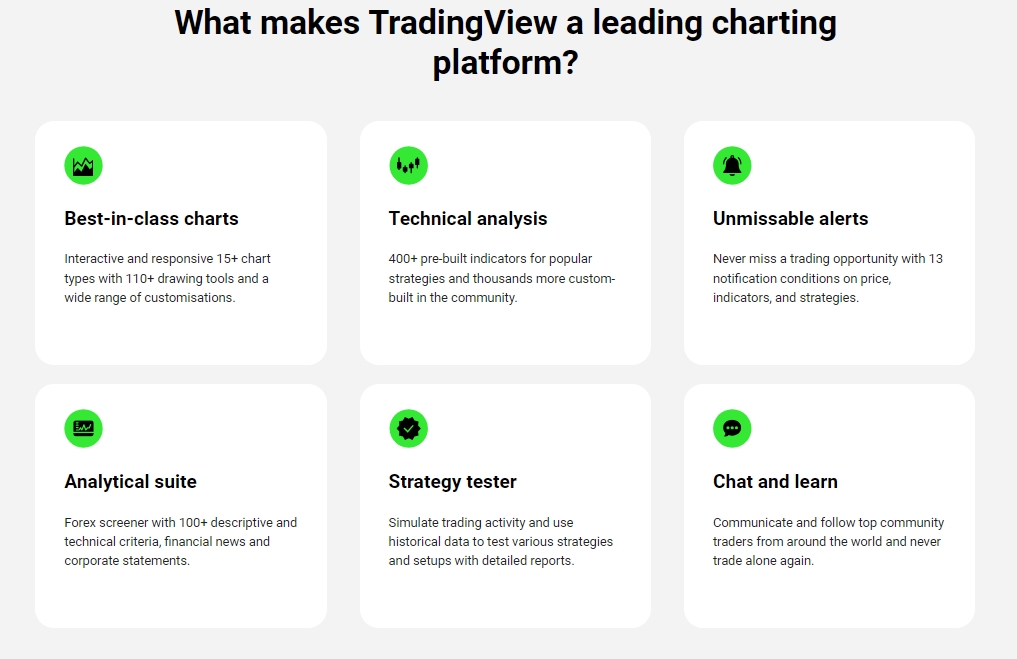
Move beyond the limitations of standard trading platforms. TradingView was built from the ground up to be a charting powerhouse, giving you unparalleled tools for technical analysis. You can create complex multi-chart layouts to monitor different timeframes or instruments simultaneously. The platform offers a vast array of drawing tools, from simple trend lines to intricate Gann and Fibonacci patterns. With over 100 pre-built indicators and thousands more created by the community, your ability to perform deep market analysis is virtually limitless.
Using Pine Script for Custom Indicators and Strategies
For traders who want to build their own edge, the IC Markets TradingView integration is a perfect match. TradingView features its own powerful and easy-to-learn programming language called Pine Script. With it, you can code your own custom indicators from scratch or modify existing ones. Even better, you can develop and backtest complete trading strategies right on the charting platform. See how your unique strategy would have performed on historical data before ever risking a single dollar in the live market.
Placing and Managing Orders with IC Markets
The integration provides a comprehensive order management system directly within the TradingView interface. You can execute trades, set your risk parameters, and monitor open positions with total control, all without leaving your chart.
Executing Market, Limit, and Stop Orders
You have full control over how you enter the market. The order panel in TradingView allows for precise execution of all essential order types. A Market Order gets you into the trade immediately at the best available price. A Limit Order lets you set a specific price you want to buy or sell at, ensuring you don’t pay more or sell for less than your desired level. A Stop Order is used to enter a trade once the price breaks through a specific point, perfect for breakout strategies.
Setting Stop Loss and Take Profit Levels
Managing risk is crucial, and the integration makes it intuitive. When placing an order, you can specify your Stop Loss (SL) and Take Profit (TP) levels by typing in the exact price points. Alternatively, once your trade is live on the chart, you can simply click and drag the SL and TP tags to your desired levels. This visual method allows you to align your risk parameters perfectly with key support and resistance levels on the chart.
IC Markets TradingView vs. MetaTrader (MT4/MT5)
Both platforms offer robust trading capabilities, but they cater to different trader preferences. MetaTrader is a long-standing industry standard known for its widespread use and expert advisor (EA) ecosystem. TradingView, on the other hand, excels in charting, social integration, and modern usability. Here’s a quick comparison:
| Feature | IC Markets on TradingView | IC Markets on MetaTrader |
|---|---|---|
| Charting | Industry-leading, web-based, highly intuitive | Powerful and functional, but with an older interface |
| User Interface | Modern, clean, and highly customizable | Classic, dense, and favored by veteran traders |
| Automation | Pine Script for custom indicators and strategies | MQL4/MQL5 for Expert Advisors (EAs) and scripts |
| Community | Massive, integrated social network for ideas | Large user base but less integrated social features |
| Accessibility | Primarily web-based, accessible from any browser | Desktop software that needs to be installed |
Mobile Trading: Using the Integration On the Go
Your trading doesn’t have to stop when you step away from your desk. The IC Markets integration works seamlessly with the TradingView mobile app, available for both iOS and Android. Once you connect your account on a desktop browser, you can log into the mobile app and see your IC Markets account ready to go. The app allows you to monitor your open positions, close trades, and even place new orders. While the full suite of advanced charting tools is best experienced on a desktop, the mobile app provides essential functionality for managing your trades from anywhere.

Common Issues and Troubleshooting
While the connection is generally stable, you might occasionally encounter a hiccup. Here are solutions to some common problems:
- Connection Failed: The most common cause is incorrect login credentials. Double-check your IC Markets account number and password. Also, ensure you are trying to connect a compatible account type (Raw Spread or Standard).
- Charts Not Loading Data: This is usually a temporary TradingView issue or a problem with your internet connection. Try refreshing your browser page (Ctrl+R or Cmd+R). If the problem persists, check the TradingView status page.
- Orders Not Showing on Chart: In your chart settings, make sure that “Positions” and “Orders” are enabled to be visible. This setting allows you to toggle the visibility of your trading activity on the chart itself.
- Account Disconnected: For security, the connection may time out after a period of inactivity. Simply go back to the Trading Panel and log in again to re-establish the connection.
Is the IC Markets and TradingView Combination Right for You?
This powerful duo is an ideal choice for a specific type of trader. If you identify with the points below, this integration will feel like a major upgrade to your trading arsenal.
This combination is perfect for you if:
- You are a technical trader who lives and breathes charts.
- You value a clean, modern, and highly intuitive user interface.
- You want to trade directly from your analysis screen without switching platforms.
- You enjoy being part of a larger trading community and sharing ideas.
- You are interested in creating your own custom indicators using Pine Script.
However, if your strategy relies heavily on pre-built, complex Expert Advisors (EAs) from the MQL marketplace, you may still find MetaTrader to be a better fit for your specific needs.
Final Verdict: A Powerful Partnership for Traders
The IC Markets TradingView integration is a decisive step forward for modern retail traders. It successfully merges a world-class charting platform with a top-tier execution venue, solving the age-old problem of disjointed analysis and trading. By combining IC Markets’ raw spreads, low commissions, and fast execution with TradingView’s superior charting tools, social features, and Pine Script capabilities, you get a truly elite trading environment. This partnership empowers you to analyze the market with greater depth and act on opportunities with more speed and precision than ever before. If you are serious about technical analysis, this is the combination you’ve been waiting for.
Frequently Asked Questions
What is the main benefit of connecting IC Markets to TradingView?
The main benefit is the ability to combine TradingView’s advanced charting and analytical tools with IC Markets’ fast execution and competitive raw spreads. This allows you to analyze and trade directly from your charts within a single, seamless interface.
Which IC Markets account types are compatible with TradingView?
The integration is designed to work with live IC Markets Raw Spread and Standard accounts. You will need one of these account types to successfully connect to the TradingView platform.
Can I use the IC Markets and TradingView integration on my mobile phone?
Yes, the integration works with the TradingView mobile app for both iOS and Android. After connecting your account on a desktop, you can monitor positions, close trades, and place new orders directly from your mobile device.
Are there any extra fees for using TradingView with my IC Markets account?
No, there are no extra fees or markups for using the integration. You receive the same competitive spreads and commissions from IC Markets that you would on any other platform. The connection itself is free.
How does the IC Markets TradingView integration compare to using MetaTrader (MT4/MT5)?
TradingView excels in charting capabilities, modern user interface, and social community features, making it ideal for technical traders. MetaTrader remains a strong choice for those who rely heavily on its vast ecosystem of pre-built Expert Advisors (EAs) and its classic, function-dense interface.